
A flight recorder that files the report for you.
vaBase ACARS works with Microsoft Flight Simulator, Prepar3d and X-Plane, records the flight gate to gate and turns it into a pilot report, a debrief and a line on the live map. Windows, one installer, updates itself.
Pilots install ACARS from their airline's website, not from here.
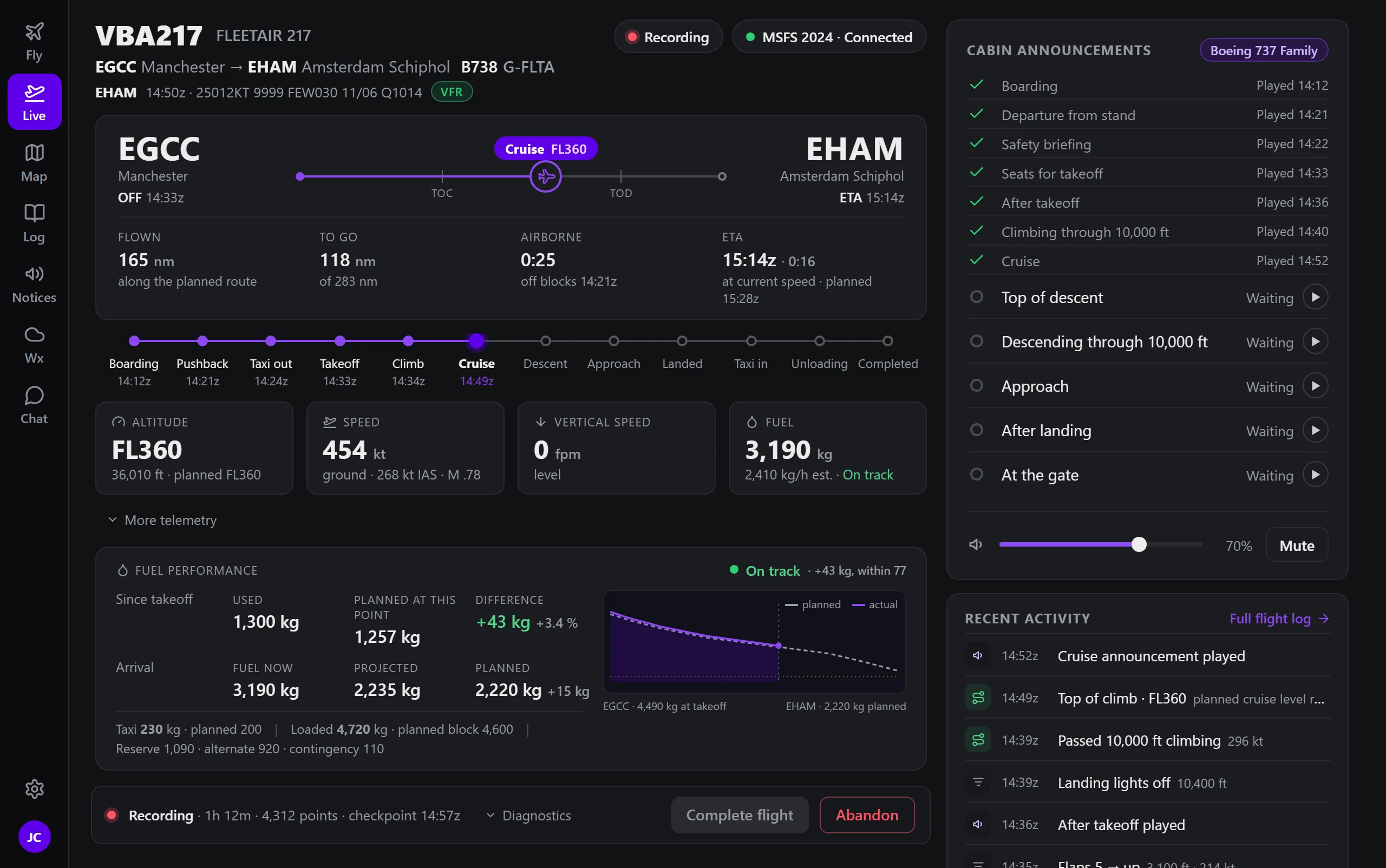
It knows where the flight is, so the pilot never has to say.
ACARS works out each phase from the aircraft itself, not from buttons: boarding, pushback, taxi, take-off, climb, cruise, descent, approach, landing and the taxi in. A go-around is understood, and a diversion is recorded as what happened, not as a failure.
- BoardingDispatch loaded, doors open
- Taxi outPushback, then taxi
- Take-offRotation, gear up
- CruiseReporting every few seconds
- ApproachDescent and approach followed
- LandingRate, G and bounce recorded
- CompletedReport filed for review
Find a flight, or let it suggest one.
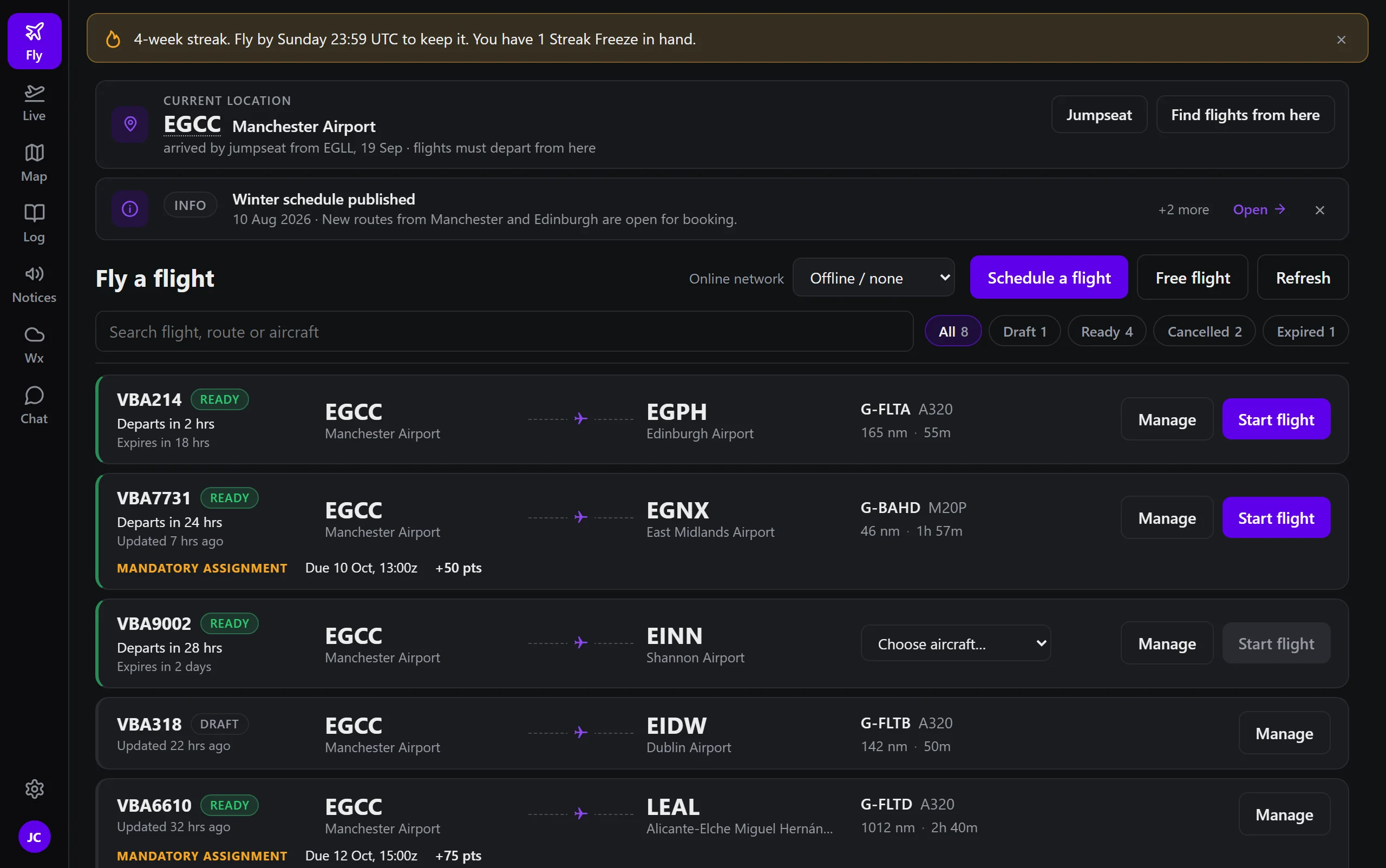
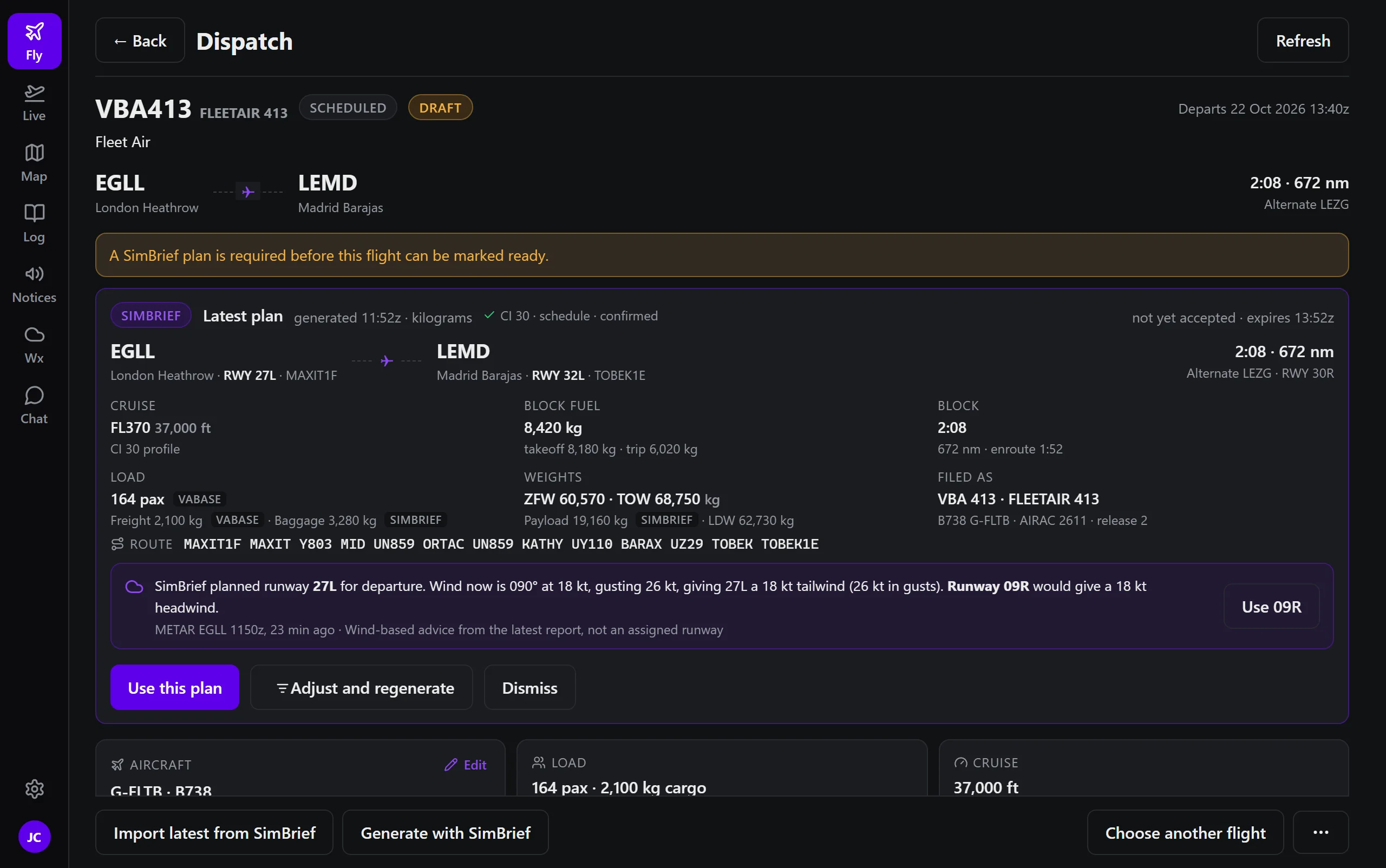
Scheduled flights from the current location, free flights, company routes, a SimBrief plan imported or generated, jumpseat to another base. The same dispatch the pilot planned on the website is waiting here, and the other way round.
- Starting from where you are: when the airline asks pilots to fly from their last airport, the list begins there.
- Streaks, notices and must-read items on the screen before the flight, not after.
- The right aircraft: choose from the fleet, with your airline's own variants and its rank rules applied.
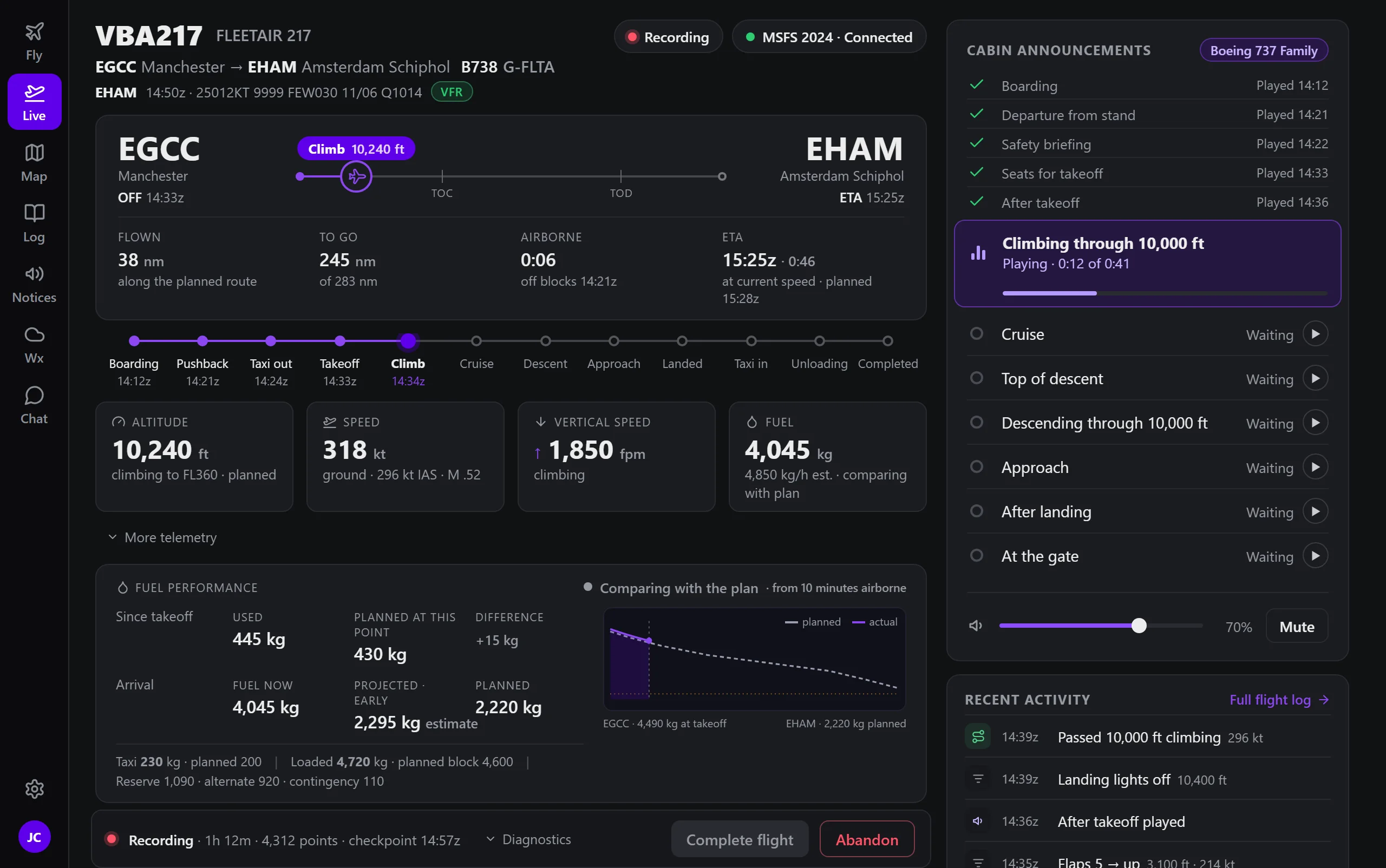
Everything about the flight, on one screen.
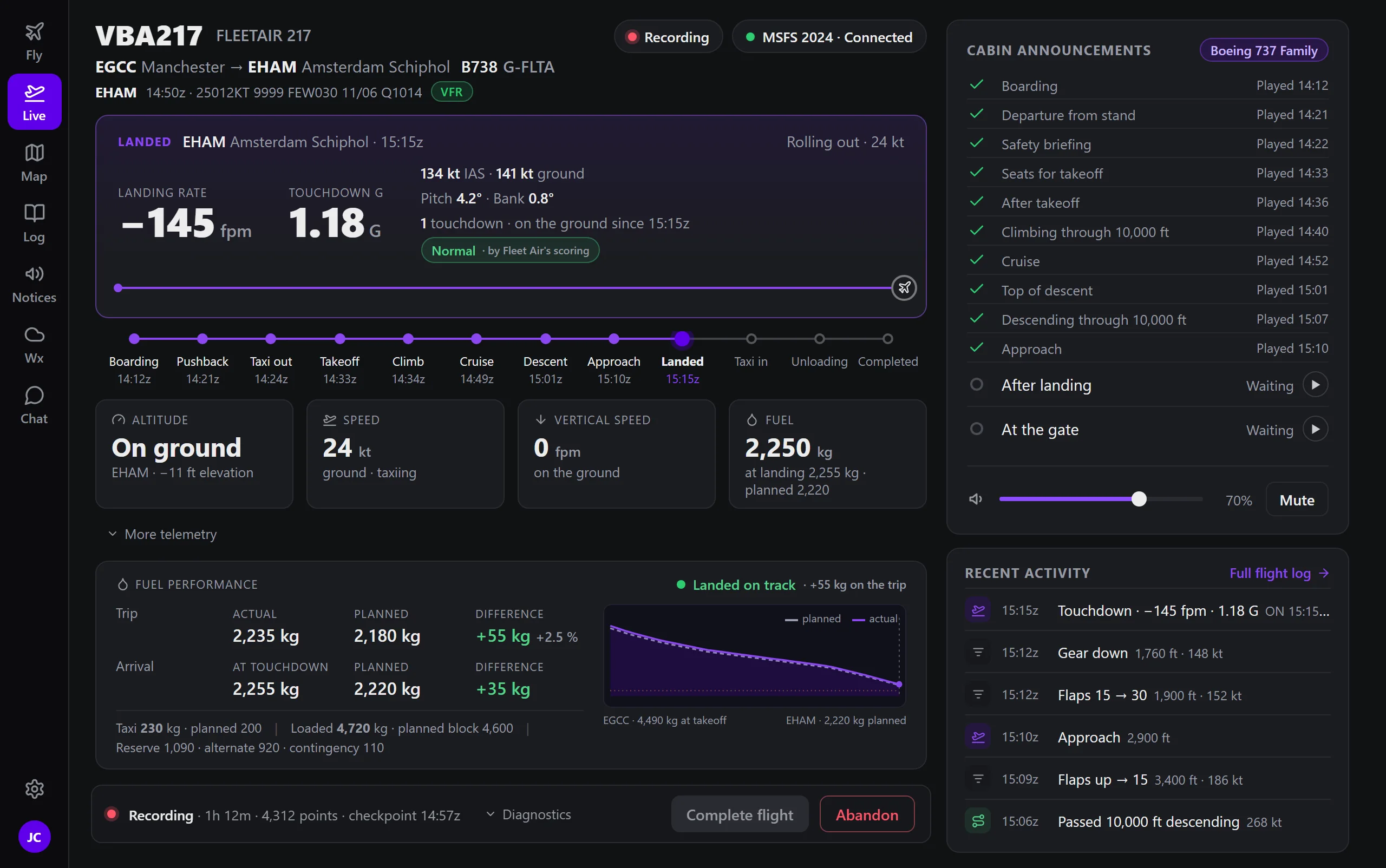
The Live screen follows the flight from the gate: where it is on the route, the phase, altitude, speed and vertical speed, and fuel burned against the plan. On touchdown it shows the landing as it was measured.
- Fuel against the plan, from take-off to the gate, with what you will land with.
- The landing, measured: rate, G-force, pitch and bank at touchdown, and how your airline scores it.
- Cabin announcements your airline records, played at the right moment of the flight.
A debrief the pilot and the reviewer both read.
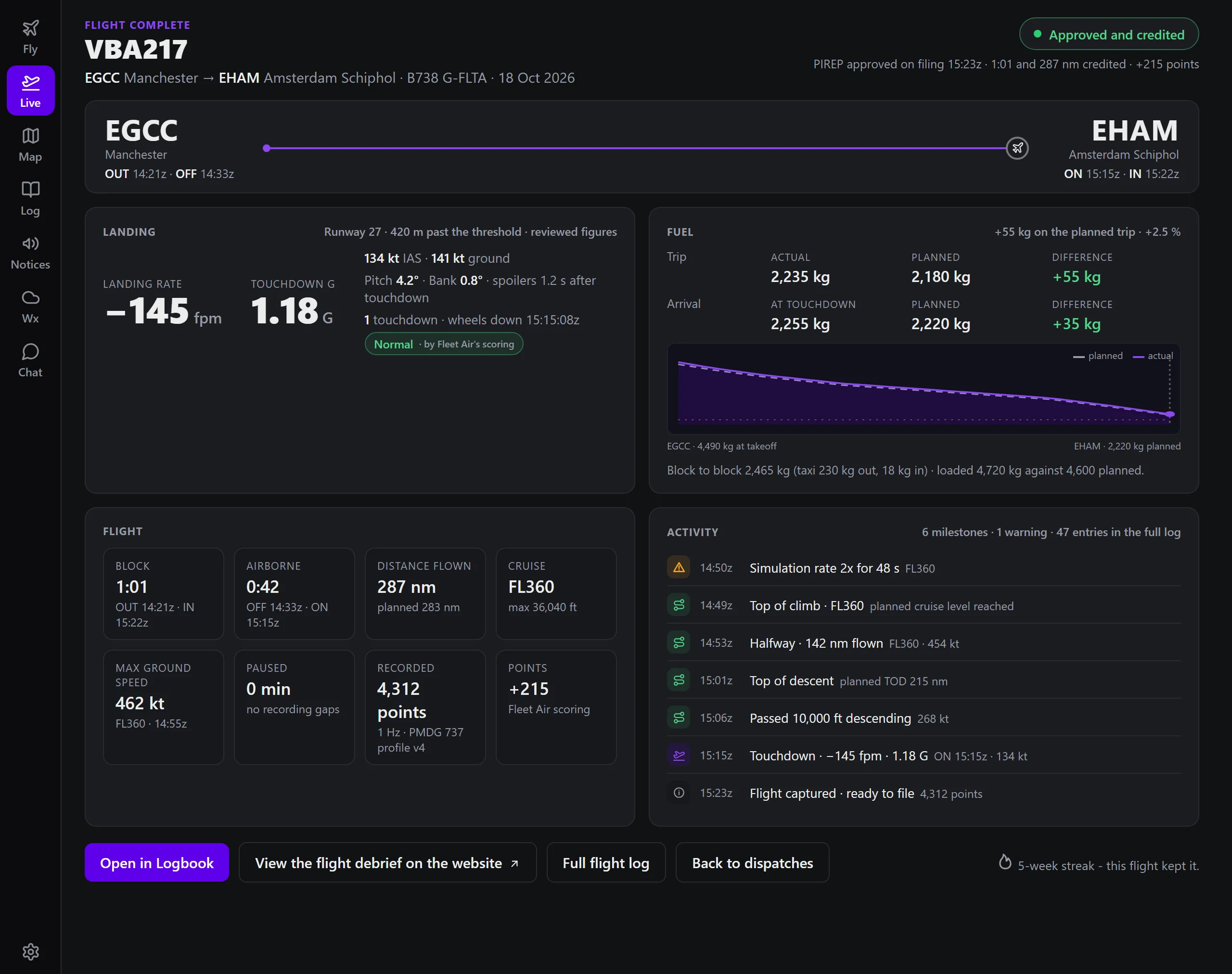
The route coloured by altitude, the profile, the landing rate, fuel planned against fuel used, every phase with its time. The pilot sees it on their report; staff see the same on review, with the plausibility checks and the scoring beside it.
- Interrupted flights recover: a crash, a sleep or a lost connection, and the recording resumes or is abandoned on purpose.
- Uploads queue offline and send when the network is back. Nothing is lost on the pilot's machine.
- Recordings are kept as the flight's evidence, archived rather than discarded.


Every aircraft in the air, on your site and in the portal.
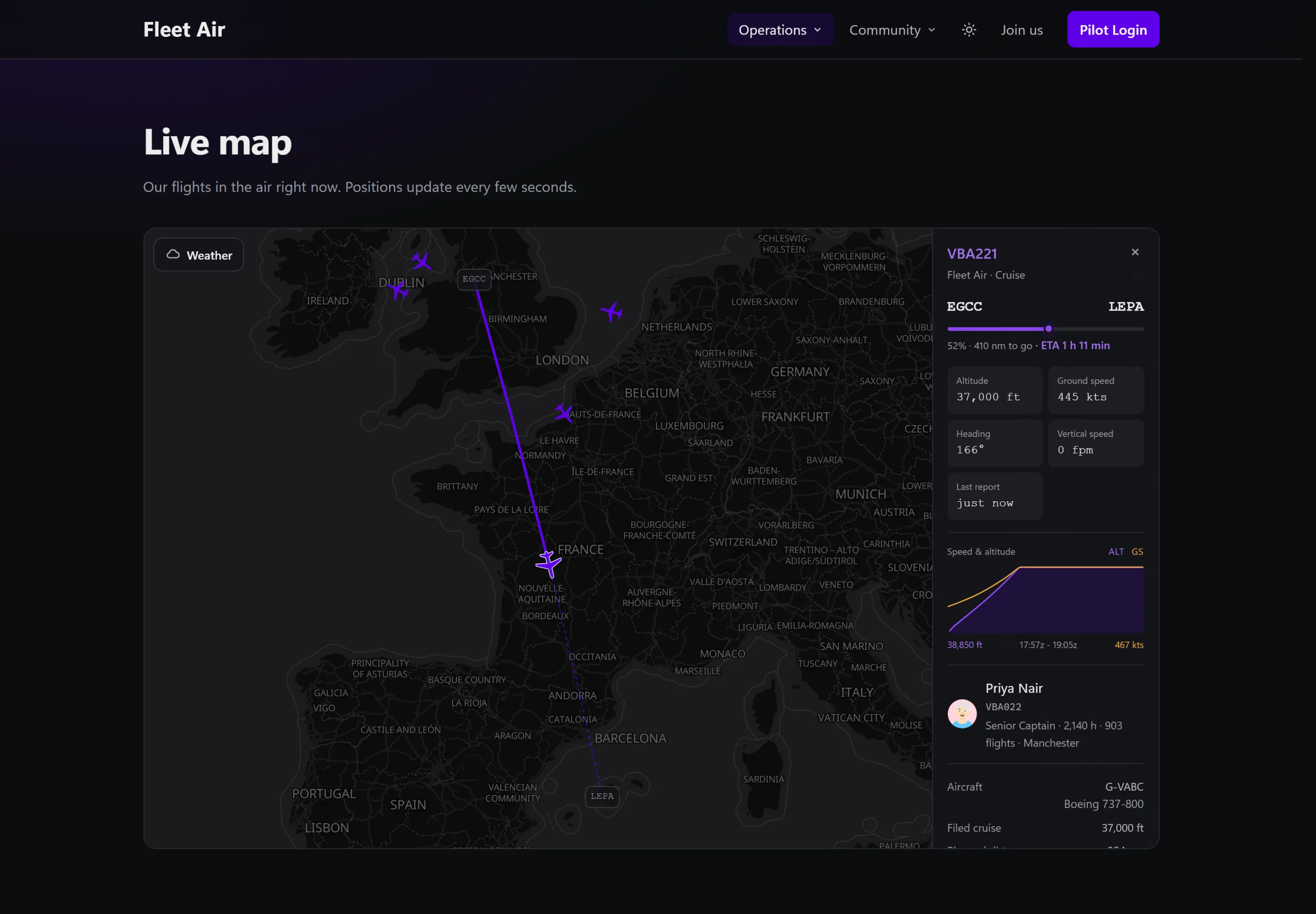
Positions, trails, phase, ETA and the weather layers, for the airline's website, the Airline Administration Portal and ACARS itself. A flight that stops reporting is ended by the server on the airline's own limits, so the map is never haunted.
- Trails and phases: each aircraft with the route it has flown, its phase and its arrival time.
- Other airlines too, on the map in ACARS, when your airline chooses to show them.
- Weather over the map: precipitation radar and station reports from NOAA.
Weather, a logbook, chat and a self-test.
The rest of what a pilot needs between the gate and the debrief, without leaving ACARS.
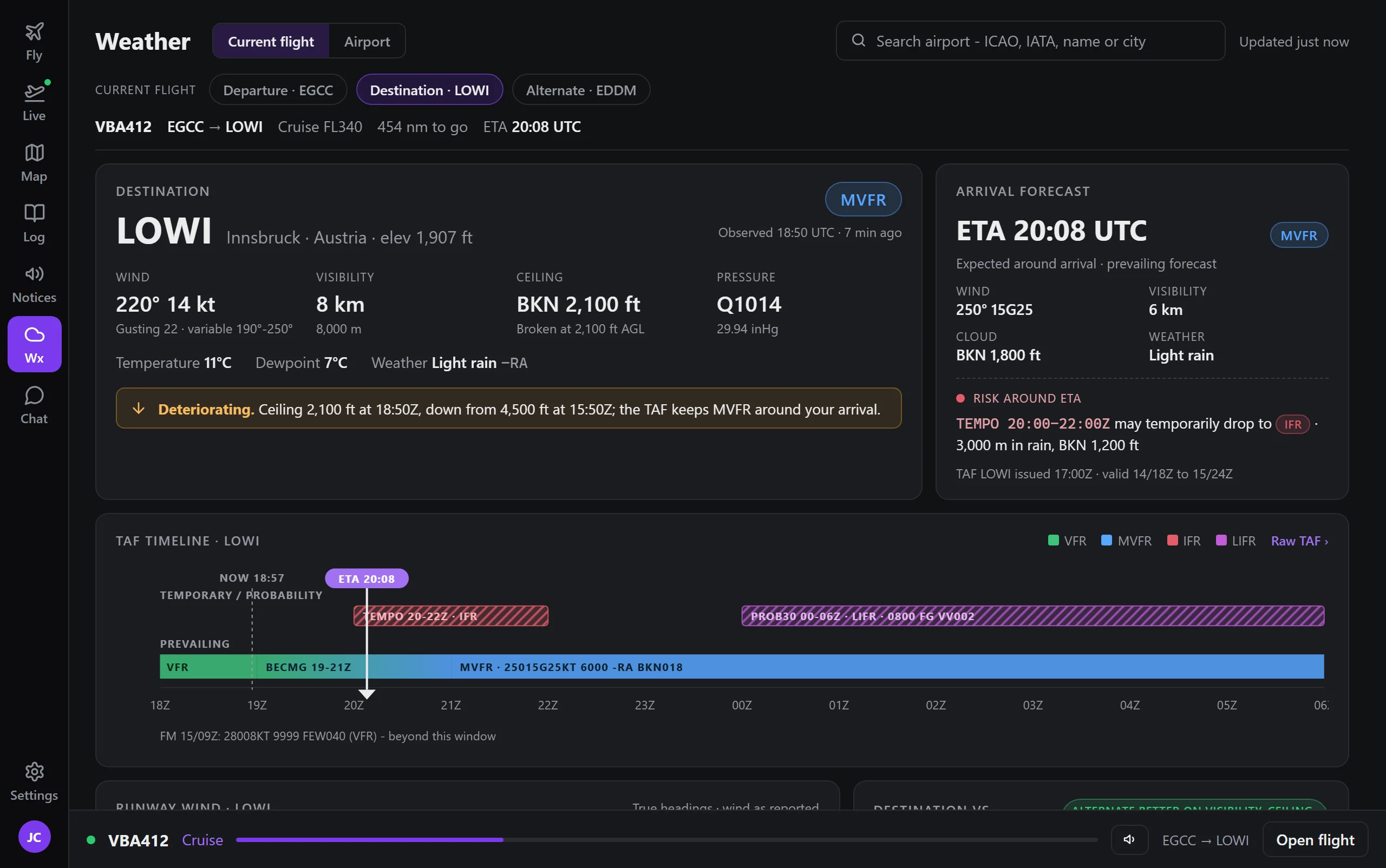
Weather
Reports and forecasts for both ends of the flight, with the wind on each runway.
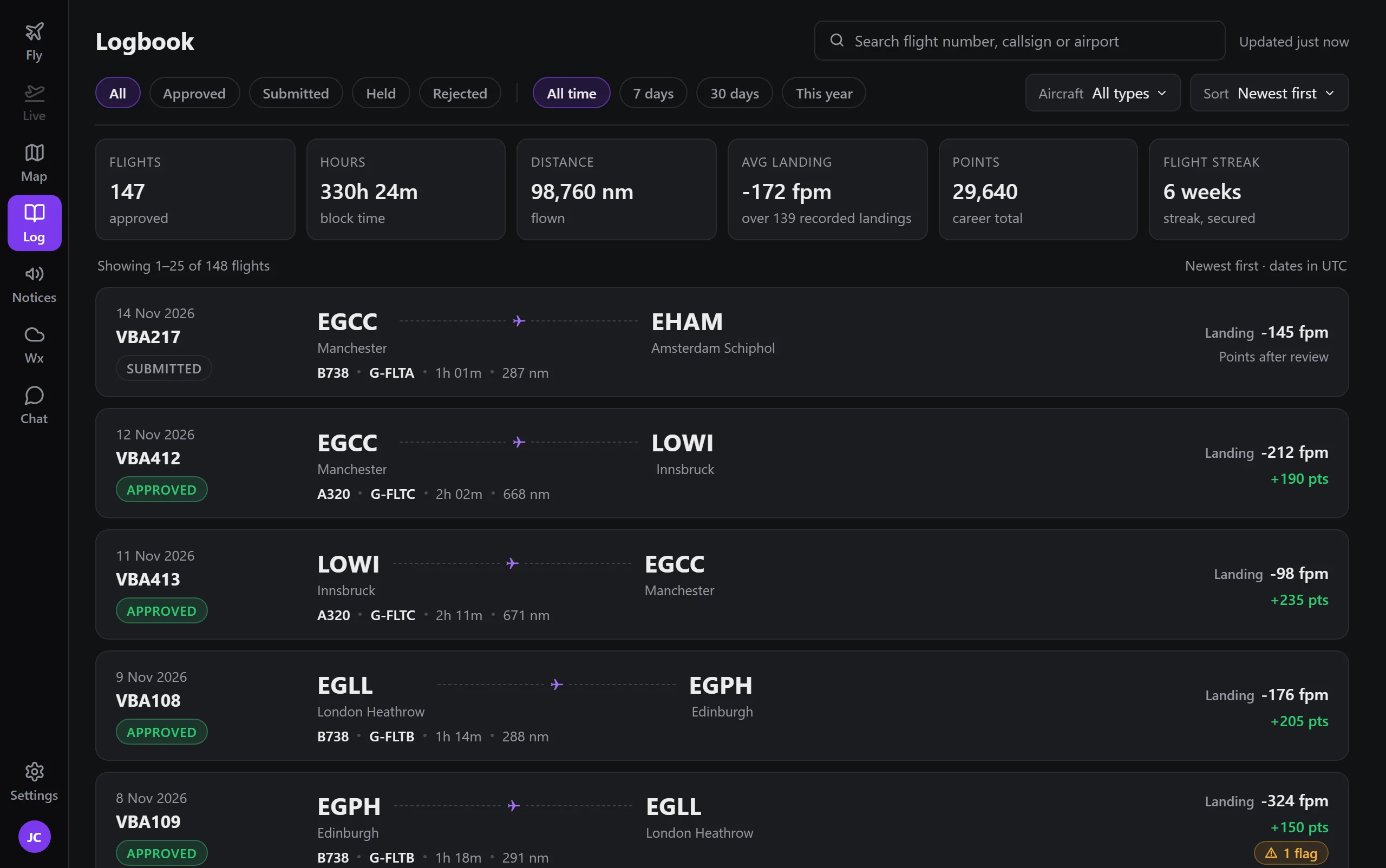
Logbook
Every flight the pilot has flown, with the track on the map when it was recorded.
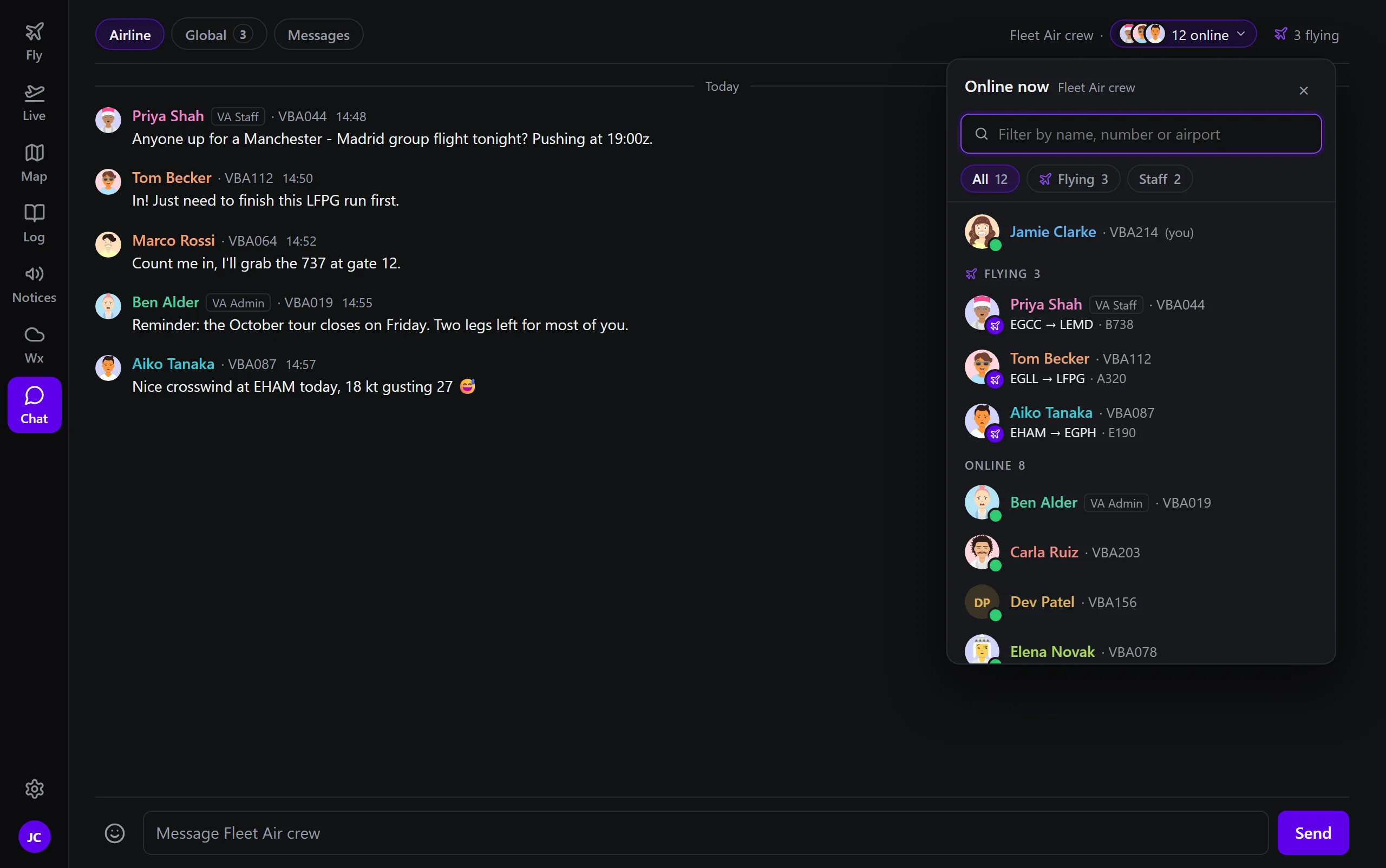
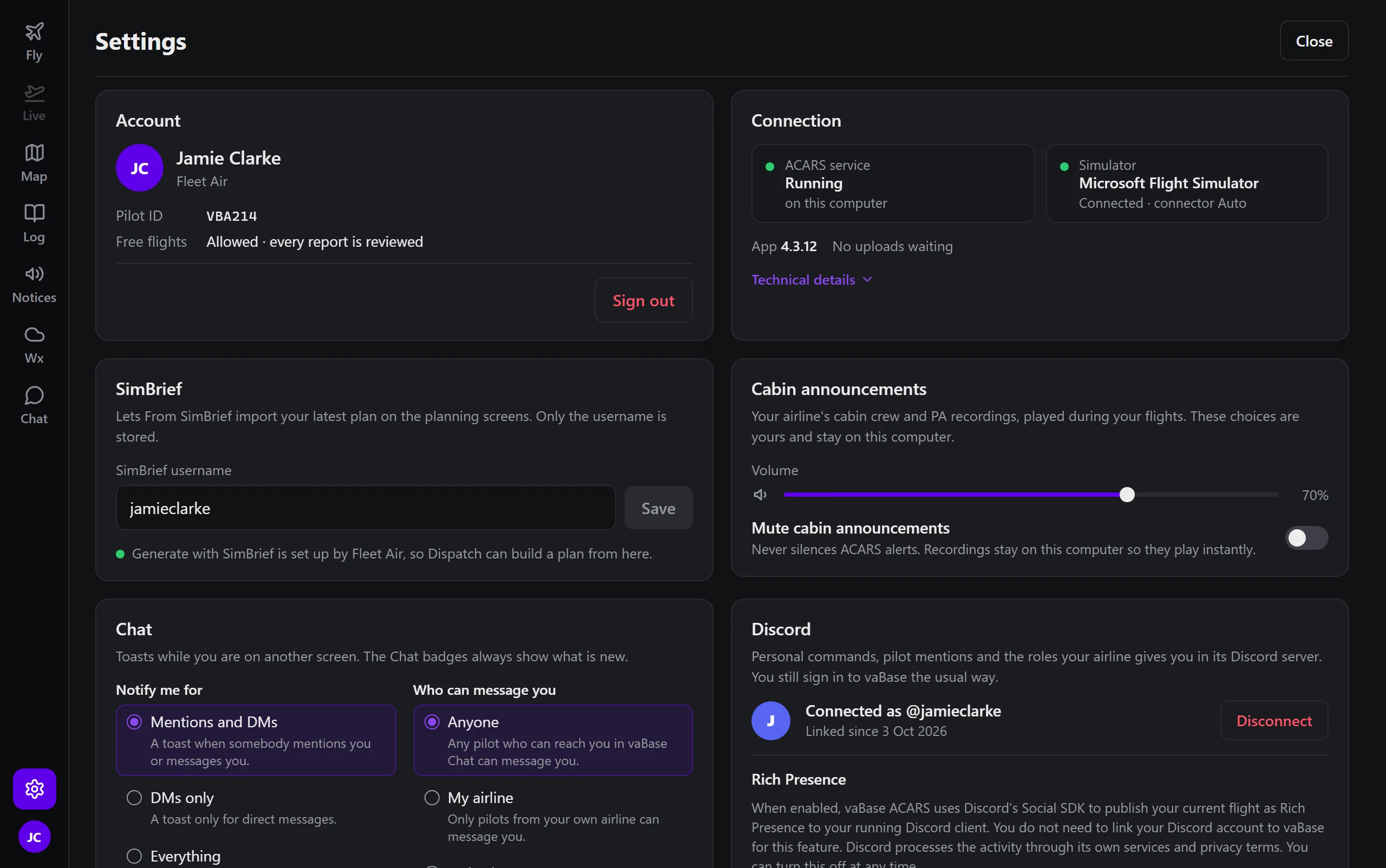
Microsoft Flight Simulator, Prepar3d and X-Plane.
One installer, with the right connection chosen for whichever simulator is running. ACARS recognises popular add-on airliners and reads their own systems where it can.
Operating system
Windows 10 or 11, 64-bit. The installer is per-user and needs no administrator rights. macOS is not supported.
Simulators
Microsoft Flight Simulator, Prepar3d and X-Plane, each through its own connector. Write to support before you choose if you need a particular version confirmed.
Updates and signing
ACARS updates itself, never during a recording. Until the installer is code-signed, Windows SmartScreen shows a warning on first install.
Give your pilots a recorder worth installing.
ACARS is part of every subscription, for every pilot of the airline.